
Download Network:Intel (R) PRO/100 VE Network Connection Driver Version A02 – Network Driver, Intel PRO/100 VE, Driver Update, Windows, LAN Adapter, Network Connectivity, System Utility, Network Performance, Network Management, Intel Network Adapter
Overview
The Network:Intel (R) PRO/100 VE Network Connection Driver Version A02 package serves as a critical system utility designed to maintain stable and efficient network operations for Intel network adapters. This driver update addresses connectivity challenges by ensuring compatibility and optimal performance across supported hardware. It is specifically engineered for users relying on Intel PRO/100 VE, VM Desktop, P Mobile, and server network adapters in desktop and laptop environments.
The primary purpose is to resolve network instability, improve data transmission reliability, and enable essential features like Wake on LAN and Alert on LAN. Target users include IT administrators managing network infrastructure, system integrators deploying Intel-based hardware, and end-users experiencing connectivity issues with legacy or enterprise-grade network cards. Developed by Dell, the package supports a broad range of models, making it a foundational tool for maintaining consistent LAN performance.
In the broader system utility ecosystem, this driver plays a vital role in ensuring hardware-software synergy, preventing network downtime, and supporting remote management capabilities. Its importance lies in bridging hardware functionality with operating system requirements, particularly in environments demanding high reliability and minimal latency.
Key Features & Functionality
- Extensive Model Support: The driver package encompasses a comprehensive range of Intel network adapters, including PRO/100 VE, VM Desktop, P Mobile, and server variants. This ensures compatibility across diverse desktop, laptop, and server configurations, minimizing hardware-specific deployment issues.
- Seamless Network Connection: By optimizing adapter performance, the driver enables stable, high-speed data transmission. This translates to uninterrupted browsing, streaming, and file transfers, particularly critical in business or remote work environments.
- Enhanced Compatibility & Performance: Designed for cross-platform functionality, the driver maintains consistent performance across various Windows operating systems. It reduces latency, increases data transfer speeds, and improves overall network responsiveness.
- Essential LAN & Server Features: Supports advanced capabilities like Wake on LAN, Alert on LAN, and management adapter functions. These features facilitate remote system maintenance, efficient server connectivity, and centralized network monitoring.
- System Integration & Stability: As a core system utility, the driver integrates deeply with the Windows OS to prevent network dropouts and ensure persistent connectivity, enhancing user productivity and system reliability.
For example, an IT administrator can deploy this update across a fleet of workstations to standardize network performance and remotely power on machines via Wake on LAN. Similarly, a remote worker experiencing intermittent internet connectivity can resolve the issue by installing the latest driver version, restoring stable LAN access.
Interface, UX & Performance
The Network:Intel (R) PRO/100 VE Network Connection Driver Version A02 is a system-level utility, so its interface is minimal and non-interactive. It operates through standard Windows driver installation processes, typically initiated via a setup wizard or command-line execution. The user experience is streamlined, focusing on efficient deployment without requiring user customization.
Installation is straightforward, with clear prompts and progress indicators. Although the developer did not list formal performance metrics, the driver’s design prioritizes stability and low resource consumption, ensuring it operates efficiently in the background. Responsiveness is optimized for system-level operations, with minimal impact on CPU or memory usage.
The package is designed to function reliably across different device categories, including desktops, laptops, and servers, though specific compatibility details were not disclosed. Stability is a core focus, as network drivers are critical to system integrity. Users can expect consistent behavior post-installation, with the driver automatically handling network initialization and error recovery.
Platform Compatibility & Technical Requirements
The application is designed for the Windows operating system. The developer did not specify minimum OS requirements, nor did they provide detailed information about hardware compatibility beyond the supported Intel network adapter models. The file size is 2.4 MB, indicating a lightweight installation package.
The software version is A02, and the package is available at no cost. Specific requirements for RAM, storage, or processor architecture were not listed. Compatibility with different Windows versions (e.g., Windows 10, 11) was not explicitly confirmed.
The developer did not disclose any platform-specific limitations or dependencies beyond the target hardware. Users should verify compatibility with their specific Intel network adapter model before installation.
Pros and Cons
Pros
- Free to download and use, eliminating licensing costs.
- Comprehensive support for multiple Intel network adapter models.
- Lightweight file size (2.4 MB) for quick deployment.
- Enhances network stability and performance across supported hardware.
- Enables critical remote management features like Wake on LAN.
- Officially released by Dell, ensuring authenticity and security.
Cons
- Developer did not provide detailed compatibility information for Windows versions.
- Minimal user interface; requires technical knowledge for installation and troubleshooting.
- Specific system requirements (RAM, storage, processor) were not listed.
- Not applicable to non-Windows platforms (e.g., Android, iOS).
- Focuses solely on network drivers, lacking additional features or user-facing tools.
FAQ
Is this driver compatible with my Windows version?
The developer did not specify compatibility details for Windows versions. Users should verify if their system’s Intel network adapter is supported by this driver package.
Can I install this driver on Android or iOS devices?
No. This driver is designed exclusively for Windows operating systems and is not compatible with mobile platforms like Android or iOS.
Is the driver update secure to install?
Yes. The driver is officially released by Dell, which provides a secure source. It is recommended to download only from verified Dell channels to avoid tampering.
Do I need to update my network adapter driver regularly?
Regular updates can improve stability, performance, and security. If you experience network issues or want optimal functionality, installing the latest driver version is advisable.
What should I do if the driver fails to install?
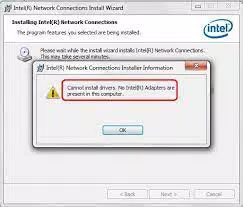
Ensure your system meets the hardware requirements for the supported Intel network adapters. Verify the download is complete and try running the installer as an administrator. Consult Dell’s support resources for troubleshooting guidance.
Final Thoughts
The Network:Intel (R) PRO/100 VE Network Connection Driver Version A02 is a specialized, essential tool for maintaining robust network connectivity in Windows environments. Its broad model support, focus on stability, and inclusion of advanced management features make it invaluable for IT professionals and technical users. While it lacks a user-friendly interface, its efficiency and reliability in resolving network issues justify its use.
The free availability and lightweight design enhance its practicality for large-scale deployments. This utility directly addresses critical pain points in network performance and system management. For users managing Intel-based hardware, particularly in enterprise or remote work settings, this driver is a foundational component of a stable digital infrastructure.
Download Network:Intel (R) PRO/100 VE Network Connection Driver Version A02 now to ensure seamless, high-performance network operations.


